Shared Crosshair
-
The shared crosshair is a type of Graph tooltip
- When enabling this feature, a shared crosshair will be placed on every single panel inside of your dashboard.
- This is useful for seeing details across multiple panels with different types of data.
- This feature also allows enables the Map panel to reactively change the position of the vehicle on the map based on where your cursor is on any given time series panel.
-
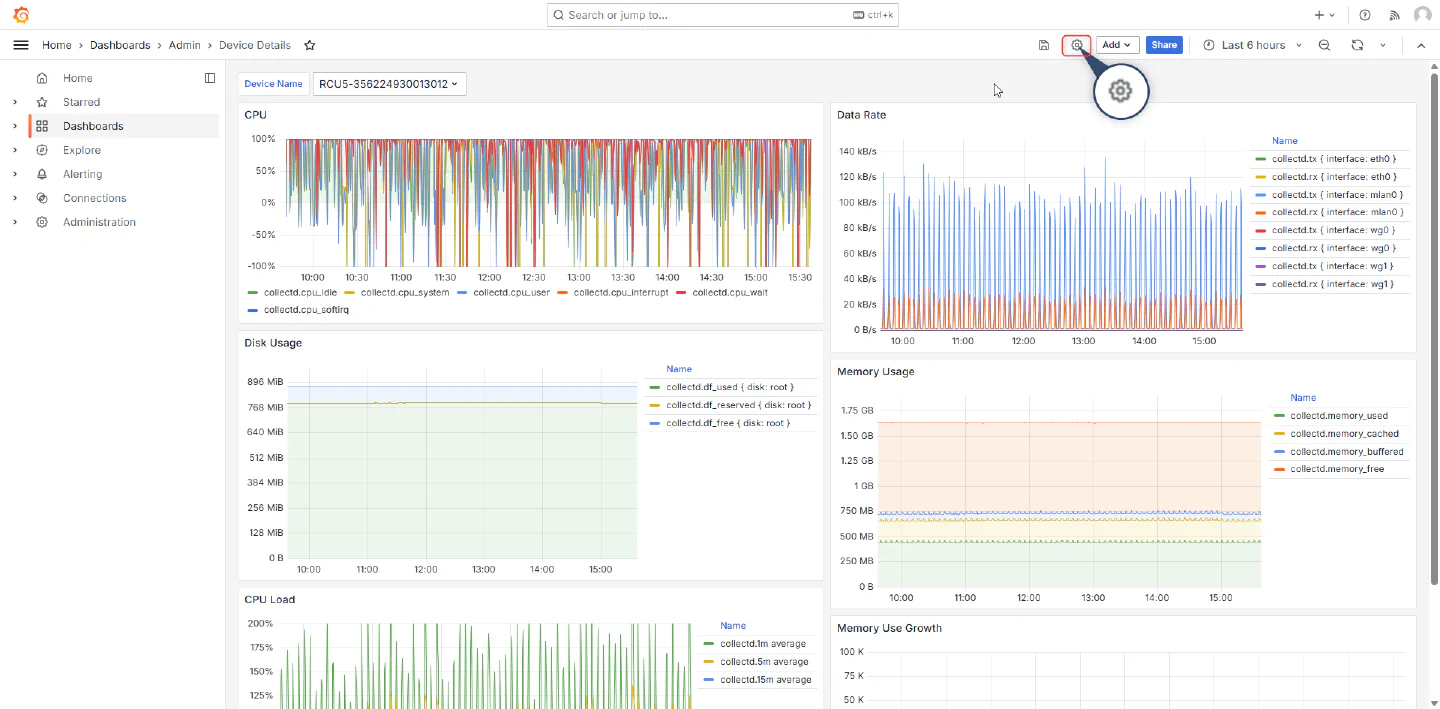
To Enable this feature, You first need to be in the dashboard that you want to enable it in.
-
Once there, navigate to the cogwheel in the top right of the dashboard.
-
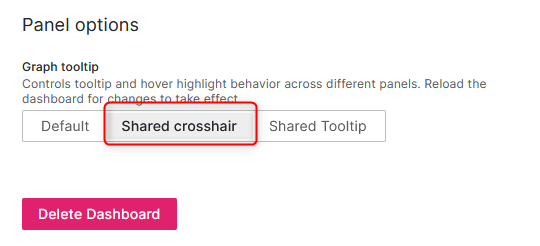
This will bring you to the “General” Settings page
- Scroll to the bottom of this page and click on the “Shared crosshair” option.
-
Save the dashboard, and refresh. Once this is done you should see a “Shared crosshair”