The Assignments page lists the data loggers of your project. Here you assign each device to its vehicle, map the vehicle’s buses to the device’s physical interfaces, and choose the configuration the device records with.
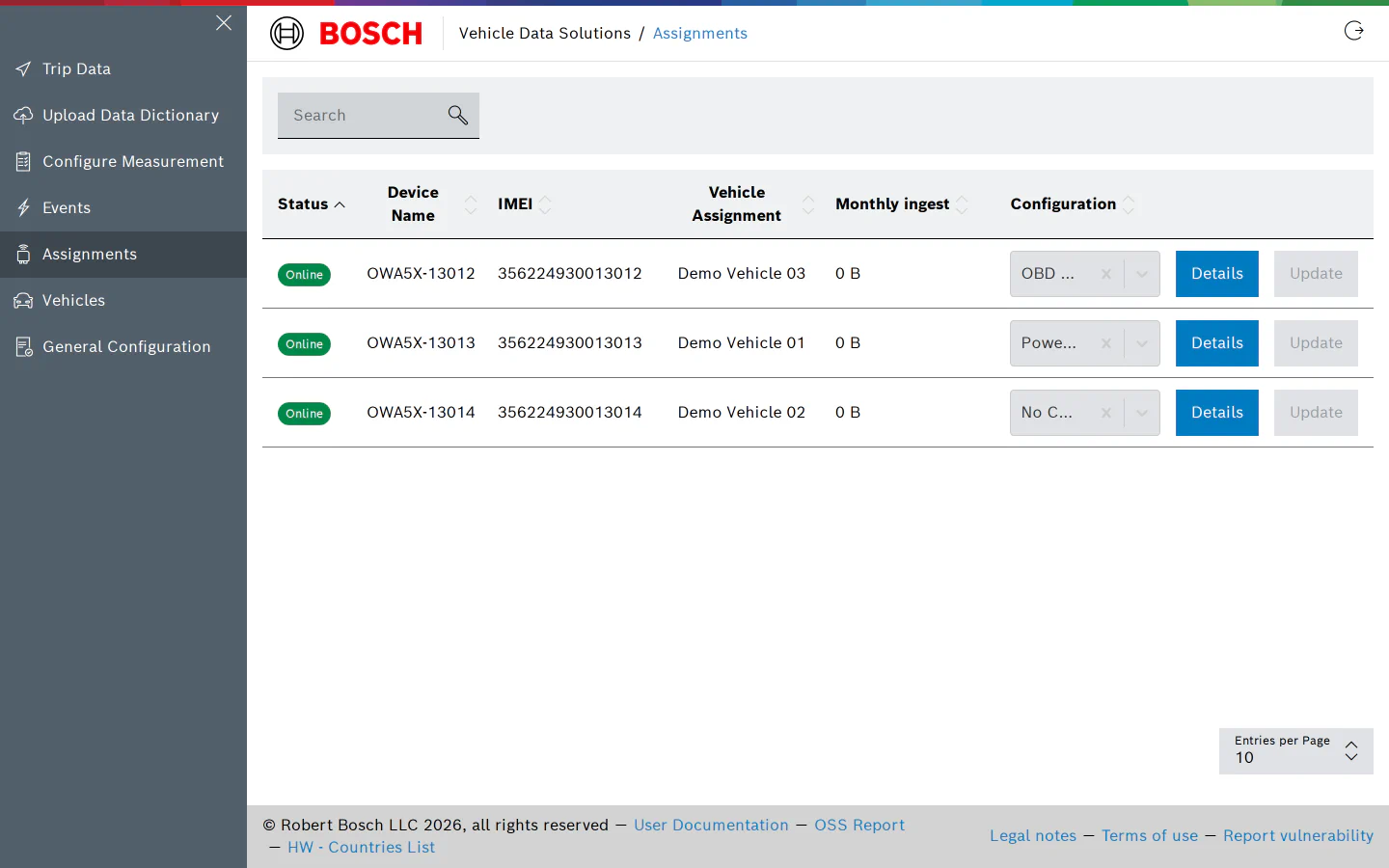
For each device the table shows:
- Status: Online when the device is connected to the VDS backend, otherwise Offline; hover the badge for the time it was last seen.
- Device Name and IMEI.
- Vehicle Assignment: the vehicle the device is assigned to, or “No Assignment”.
- Monthly ingest: the data the device has uploaded this month.
- Configuration: a dropdown with the configurations of the project and “No Configuration”, followed by the Details and Update buttons.
Device Details
Click Details to open the device. Device Name and IMEI are read-only: the device is registered to your project when it is provisioned, and its name follows the provisioning convention, OWA5X- followed by the last five digits of the IMEI.
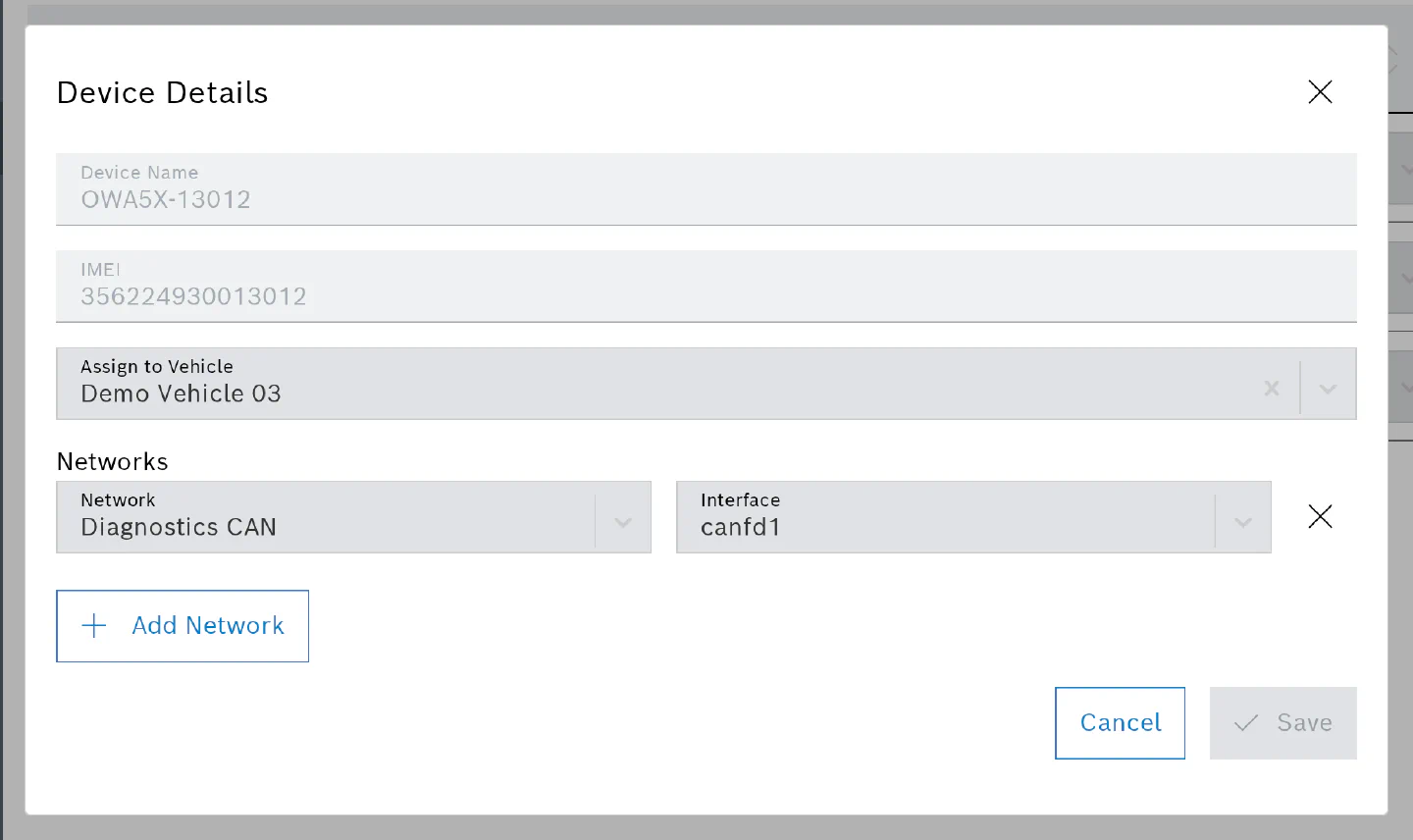
- Assign to Vehicle selects the vehicle from the Vehicles page. Trips recorded from now on are listed under that vehicle.
- Network to Interface rows map each bus of the vehicle to the connector of the device it is wired to. The buses come from the General Configuration page; the interfaces are the device’s CAN FD ports,
canfd1tocanfd4on the owa5X. A bus can be mapped once per device, and Add Network is disabled once every bus is mapped. Several buses may share one interface, for example when two ECUs answer on the same physical CAN line.
Click Save. The mapping is stored on the device record and applies to every configuration assigned later.
Configurations name buses, not connectors, so a configuration written for “Powertrain CAN” works on every device where that bus is mapped, whichever port it is wired to.
Assign a Configuration
Choose the configuration in the dropdown and click Update. The device receives it right away and starts a new trip with it as soon as it is recording.
If the chosen configuration uses a bus the device has not mapped, Update turns yellow and its tooltip names the problem. You can still assign the configuration, but the channels on the unmapped bus record nothing; open Details and add the mapping first.
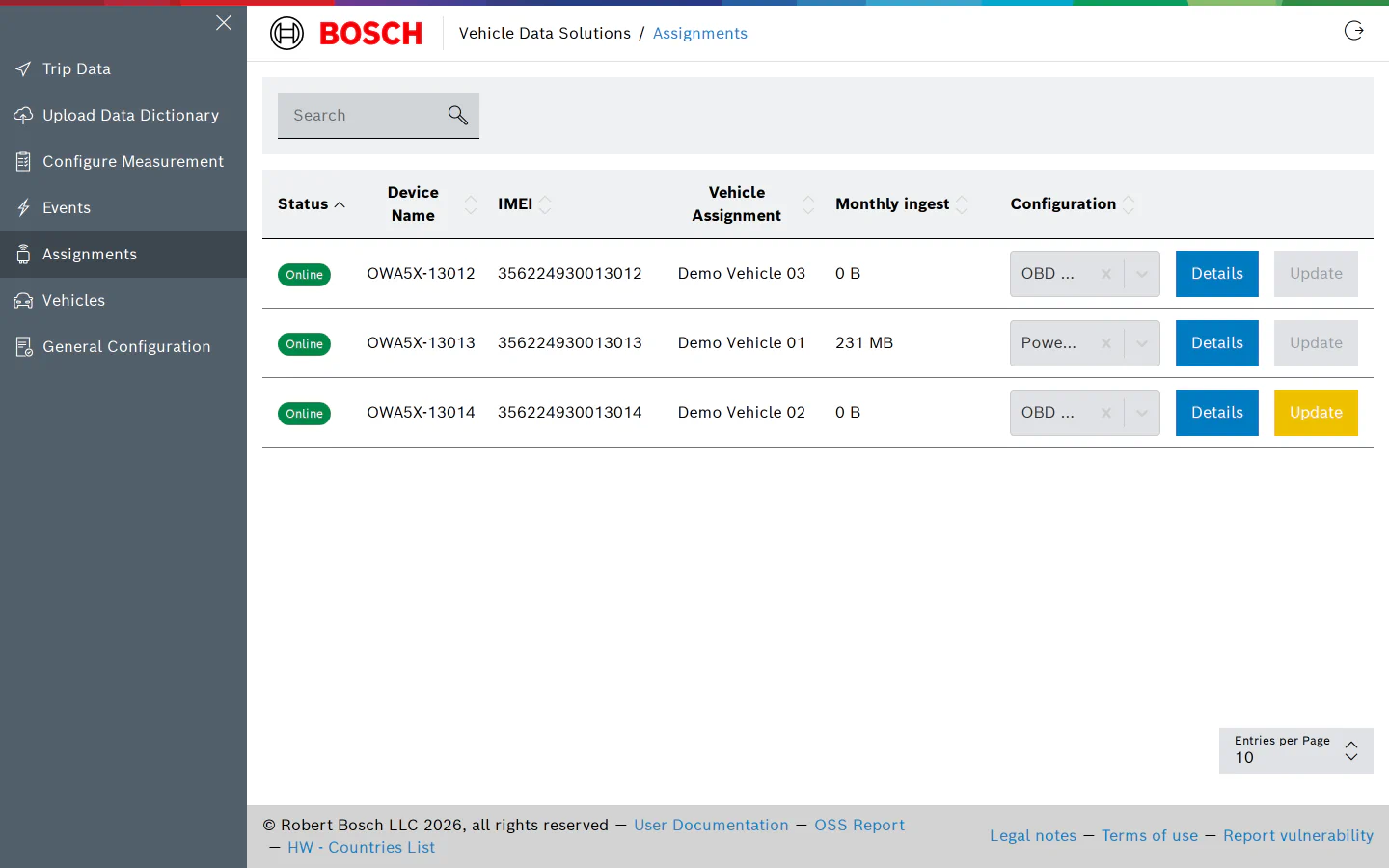
To stop recording, assign “No Configuration”.
Updating a Configuration
You do not need this page after editing a configuration. Saving a configuration in the editor pushes the new version to every device it is assigned to; the editor shows a banner saying so. Reassigning it here would only interrupt the running trip.
Permissions
Viewing the page needs the permission to list devices; users without it see an “Access Denied” message. Assigning vehicles and configurations and editing the bus mapping need the device update permission, which the User and Admin roles have.