A data dictionary describes the signals on a bus or in an ECU. Upload the dictionaries for your vehicles here; the configuration editor then lets you pick signals from them.
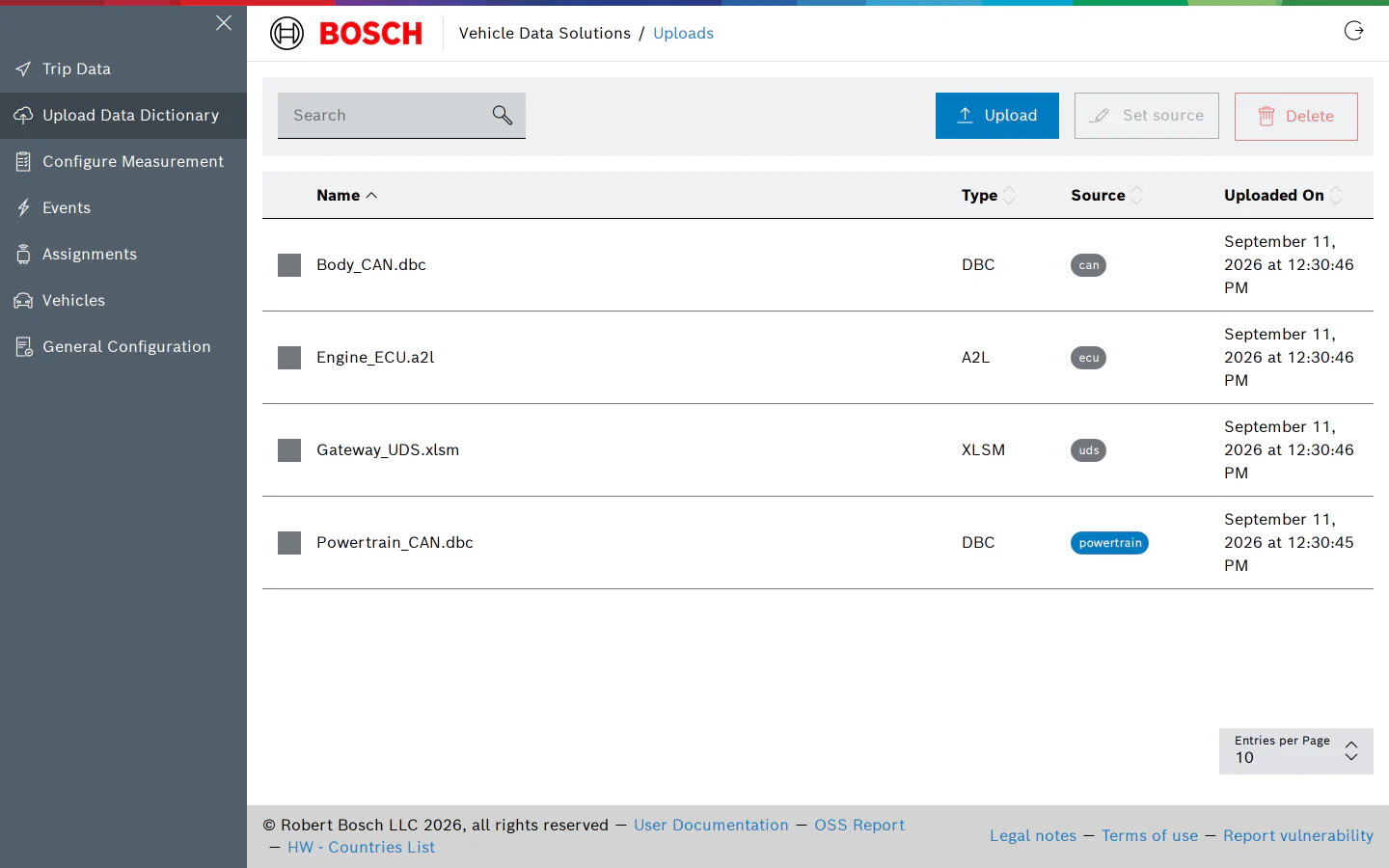
Upload a File
Click Upload and choose a file, or drop files onto the page. The following types are accepted:
.dbc or .arxml   for CAN
.a2l             for XCP and CCP (on CAN or on Ethernet), also used by UDS - RMBA
.xlsx or .xlsm   for UDS
Up to five files of at most 2 GB each can be dropped at once. The file is parsed right after the upload; while that happens the row shows “Uploading…” and then “Processing…”. A file that could not be parsed shows an error sign with the reason in its tooltip. Fix the file and upload it again, or contact support.
The table lists every dictionary with its Type, its Source and the upload date. Use the search box to filter by name.
Source
Every file has a source: the name its signals are stored under, which is what you pick when you query the data (the “measurement” in Grafana). By default it is the plugin type of the file:
can   for .dbc and .arxml
ecu   for .a2l
uds   for .xlsx and .xlsm
Set a source when signals from different buses, ECUs or vehicles would otherwise be stored under the same name. Click the source badge of a file to change it, or select several files and use Set source to change them together. The picker offers the sources already used by files of the same kind; type a new name to create one. For several vehicles in one project, prefix the source with the vehicle, for example vehA_can and vehA_ecu.
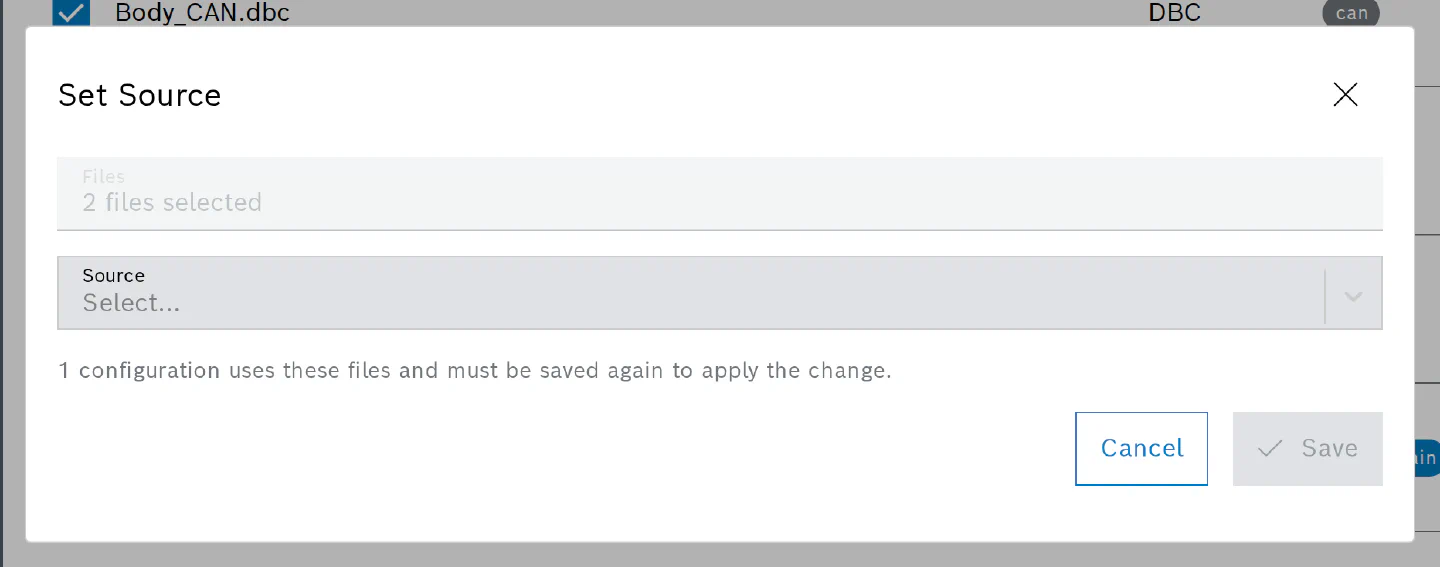
Source names are 1 to 64 characters of letters, digits, _ and -. The built-in names (gps, obd, dtc, collectd, …) and the file extensions are reserved.
The source is applied when a configuration is saved. Set it before you assign the file to a vehicle: configurations that already use the file keep writing under the old name until they are saved again, and the dialog tells you how many of them there are. History stays under the old name.
Delete a File
Select one or more rows and click Delete. Configurations that use the file keep their copy of the selected signals, but the file can no longer be chosen for new channels.
Permissions
Viewing the page needs the permission to list data dictionaries; users without it see an “Access Denied” message. Uploading, changing the source and deleting need the corresponding write permissions, which the User and Admin roles have.