The Vehicles page is the register of the cars in your project. A data logger is assigned to a vehicle, trips are listed under the vehicle’s name, and the vehicle’s attributes, such as its VIN and time zone, are written into the exported measurement files.
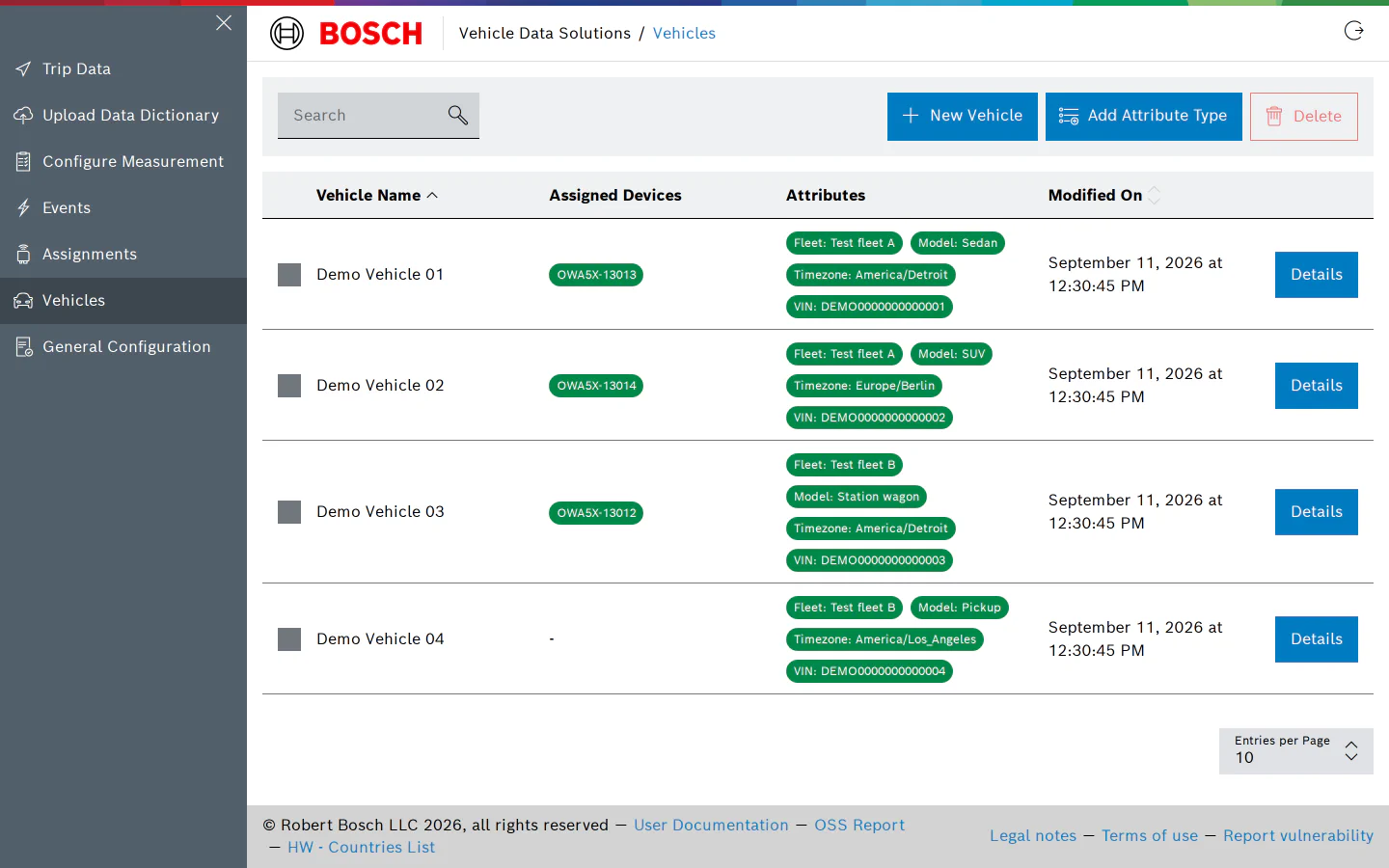
The table shows, for each vehicle, the devices currently assigned to it and its attributes. The search box matches the vehicle name, the names of its assigned devices and its attribute values.
Filter Vehicles
Click Filter to open the filter panel beside the table. The first section, Devices, narrows the list to vehicles with one of the selected loggers; the option No device assigned finds vehicles that have none. Below it there is one section per attribute type that is in use on at least one vehicle, offering the values other vehicles carry and a Not set option for vehicles without a value. Selecting several values in one section shows vehicles matching any of them; selections in different sections must all match. Each section only offers values that are still possible given the other selections. Click Apply to filter the table, Clear to empty the panel; the badge on the Filter button counts the active sections, and the reset button next to it clears the filters and the search box at once.
Create a Vehicle
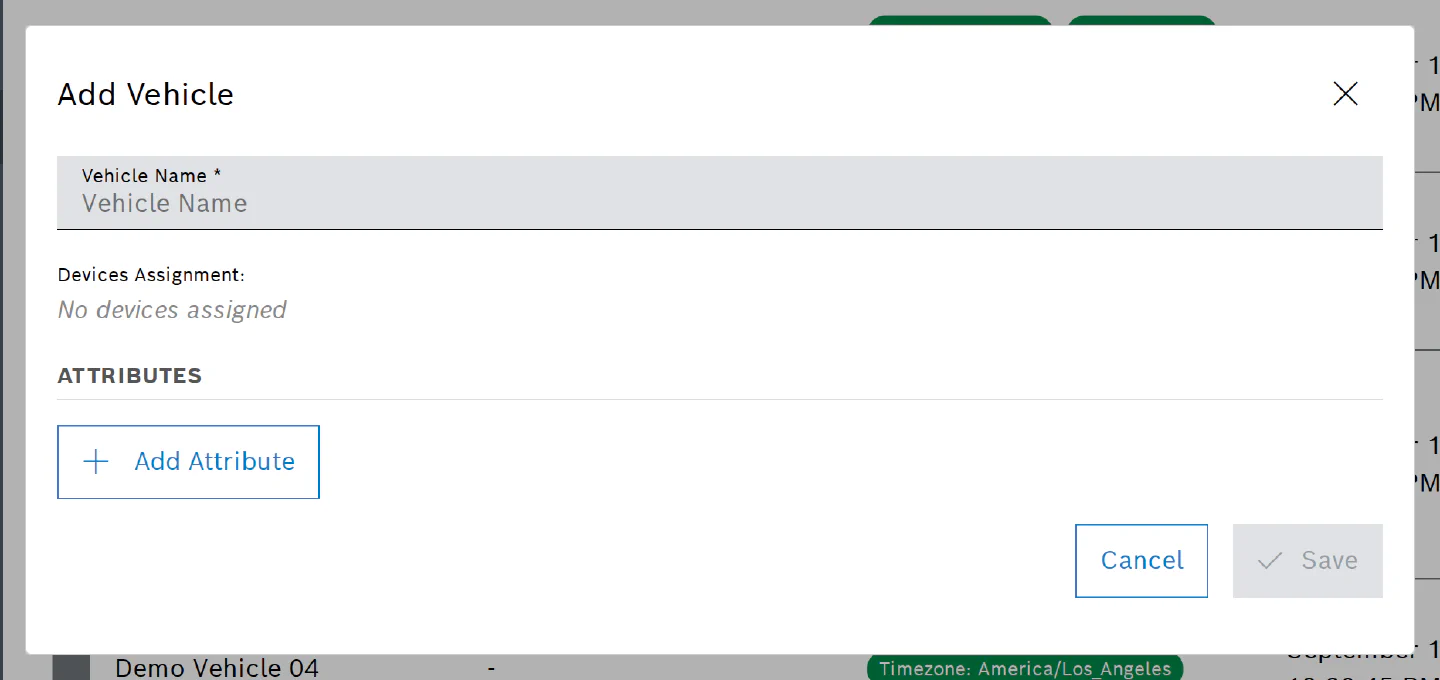
Click New Vehicle, enter a Vehicle Name and click Save. The name is the only required field and is how the vehicle appears everywhere else: on the Assignments and Trip Data pages, in Grafana, and in the run filters of Events.
Attributes
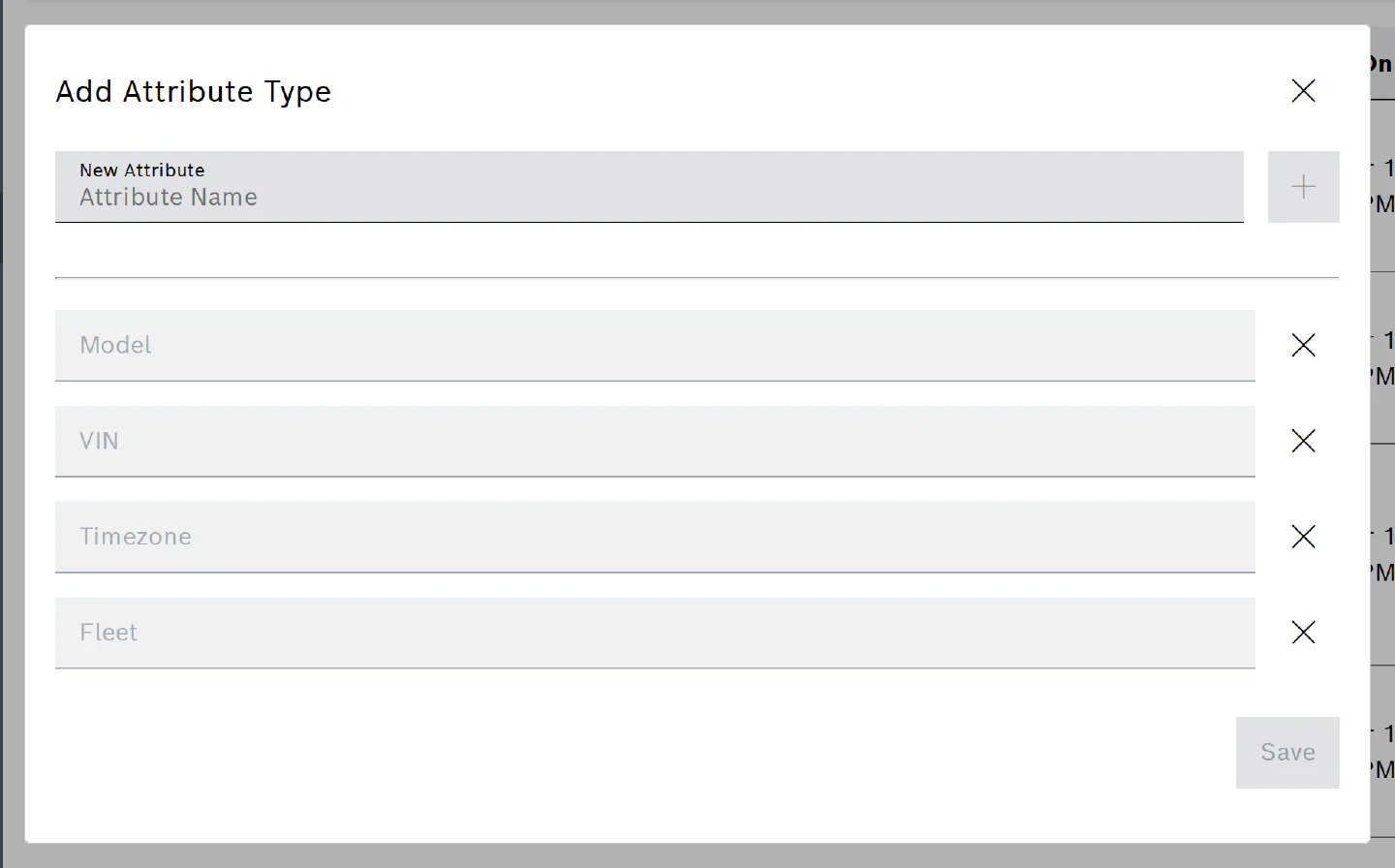
Attributes are named values you attach to a vehicle. Each project defines its own attribute types; VIN, Timezone, Model and Fleet are typical ones. All attributes of a vehicle, including its VIN and Timezone, are written into the metadata of the MF4 files exported from its trips.
To define a new attribute type for the project, click Add Attribute Type, enter the name (at most 50 characters, unique within the project) and click Add attribute. The same dialog lists the existing types and lets you retire one; retiring a type does not delete the values already stored on vehicles.
To set attributes on a vehicle, open its Details, click Add Attribute, choose the attribute and type or pick a value (at most 45 characters), then Save. The value picker offers the values other vehicles already use for that attribute, so fleets and models stay consistently spelled.
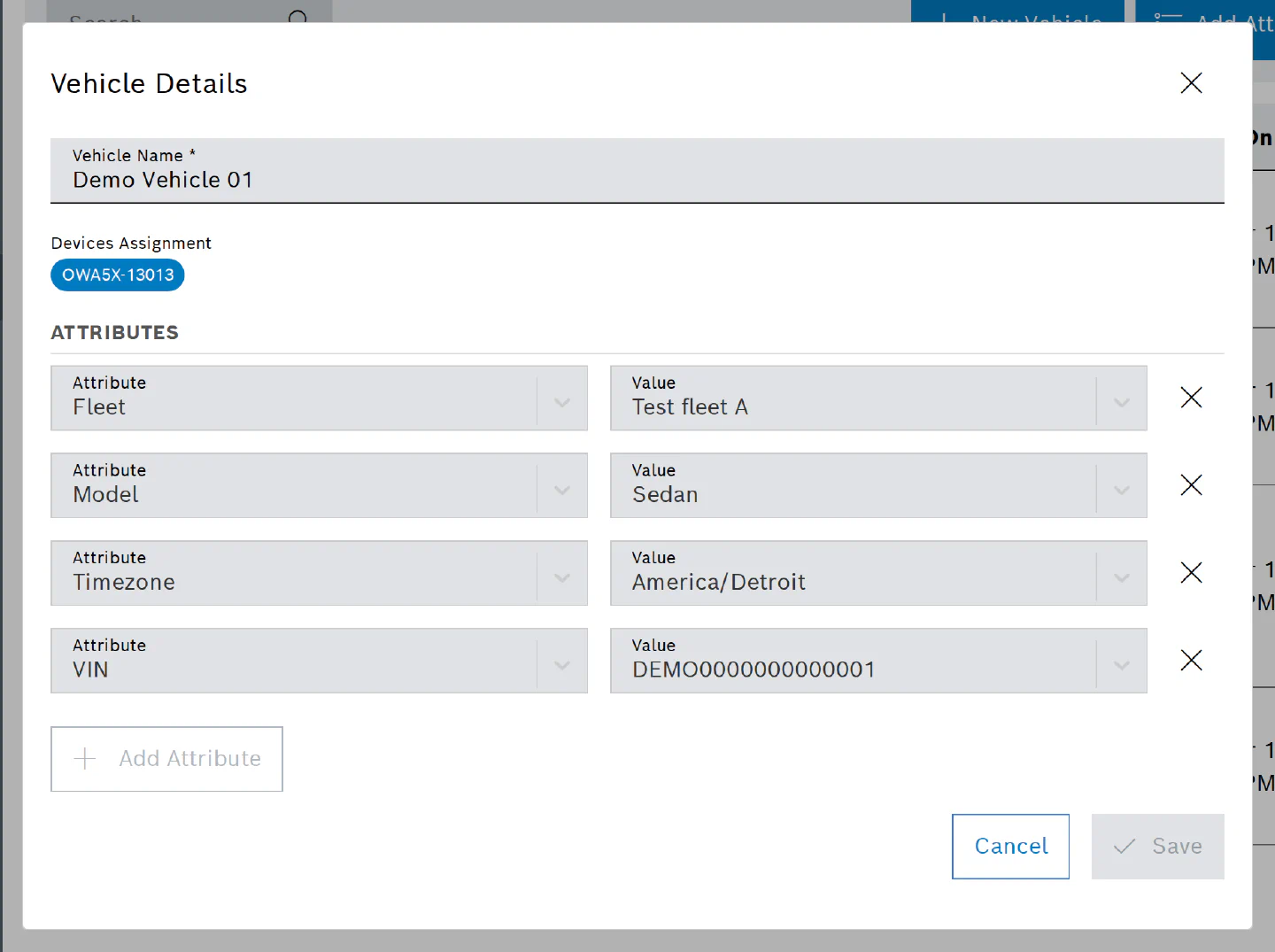
The Devices Assignment line of the dialog shows which loggers are assigned to the vehicle. The assignment itself is made from the device’s side, on the Assignments page.
Delete a Vehicle
Select one or more rows and click Delete. A deleted vehicle disappears from the lists; its recorded trips are kept.
Permissions
Viewing the page needs the permission to list vehicles. Creating and editing vehicles, defining attribute types and deleting vehicles need the corresponding write permissions, which the User and Admin roles have; buttons you are not allowed to use are disabled.