The General Configuration page holds the settings that apply to the whole project: the Buses your vehicles have, and the Data Ingest view of how much data the project sends to the cloud.
Buses
A bus is a named vehicle network, for example “Powertrain CAN” or “Diagnostics CAN”. Buses are the link between the two halves of a measurement setup:
- In a configuration, every channel (CAN, XCP, UDS, OBD, GPS) names the bus it records from.
- On the Assignments page, every device maps each bus to the physical interface it is wired to (
canfd1tocanfd4).
So a configuration can say “record these signals from Powertrain CAN” without knowing which connector of which logger that bus is on. The API calls a bus a network; the two words mean the same thing.
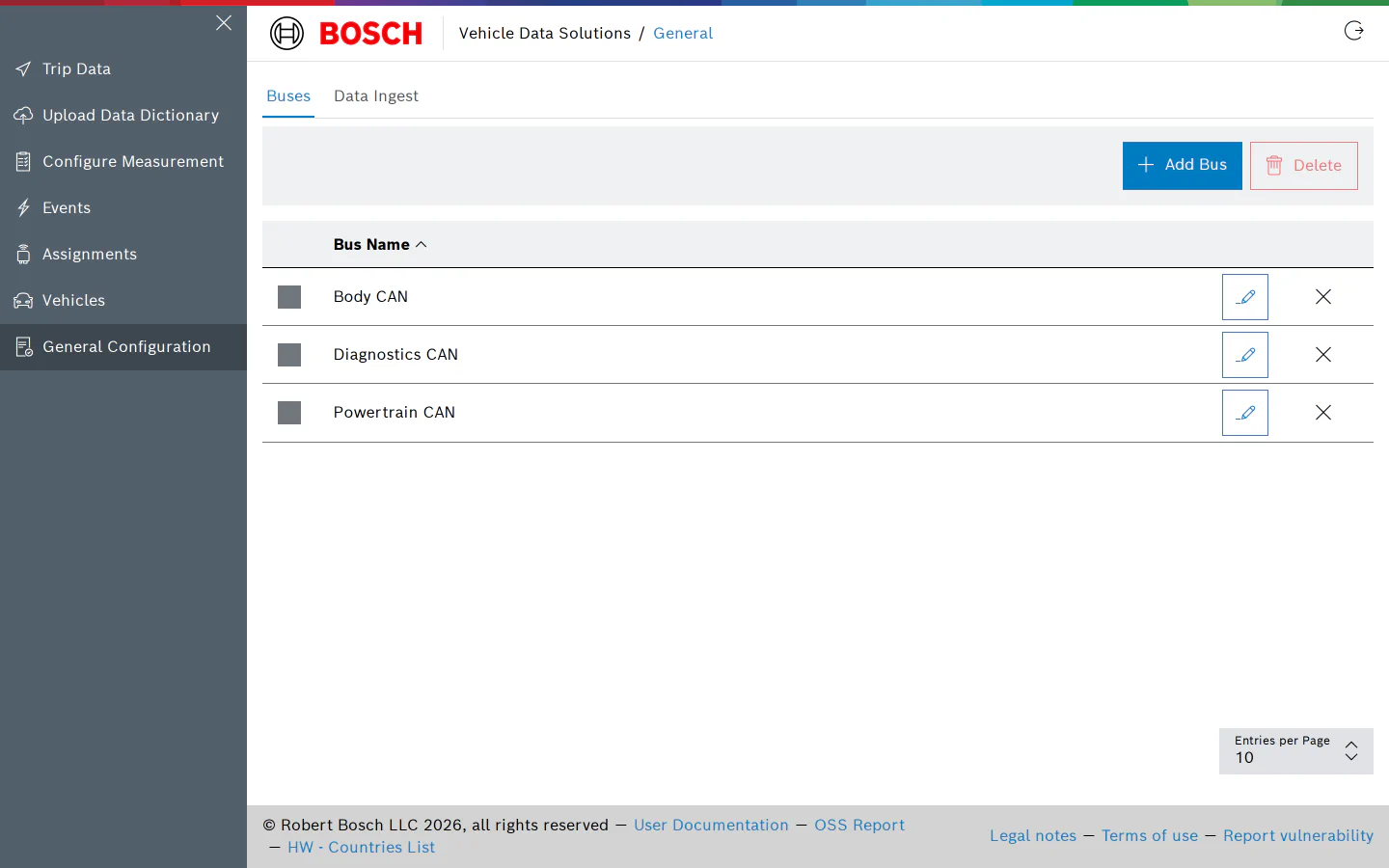
- Click Add Bus, enter a name and click Save. Names are at most 50 characters and must be unique within the project; the dialog refuses a name that already exists.
- The pencil button renames a bus. Renaming does not affect configurations or device mappings, which reference the bus by its id.
- The cross button deletes a single bus; select several rows and click Delete to remove them together.
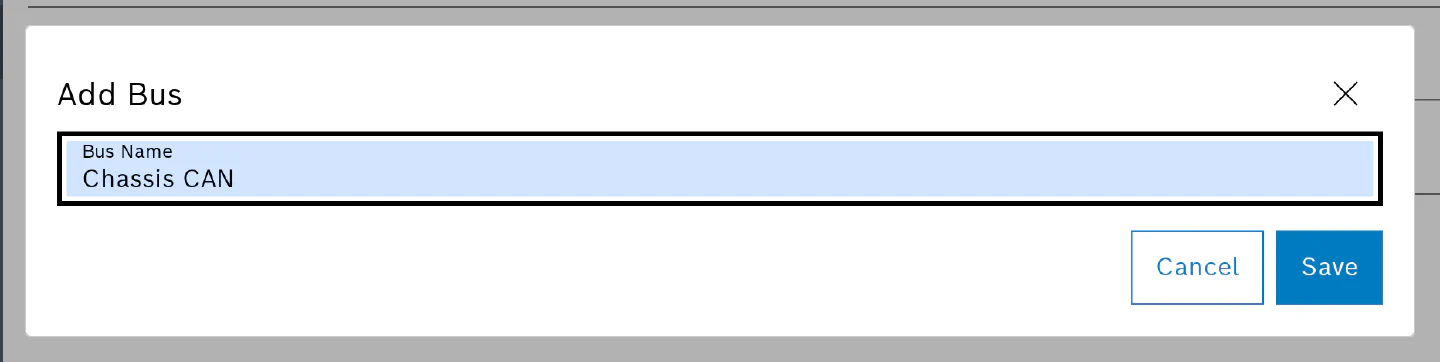
Create the buses before you create configurations: a configuration cannot be saved while one of its channels has no bus selected.
Data Ingest
The Data Ingest tab shows how much data the vehicles of the project have uploaded, so you can watch the volume your fleet produces.
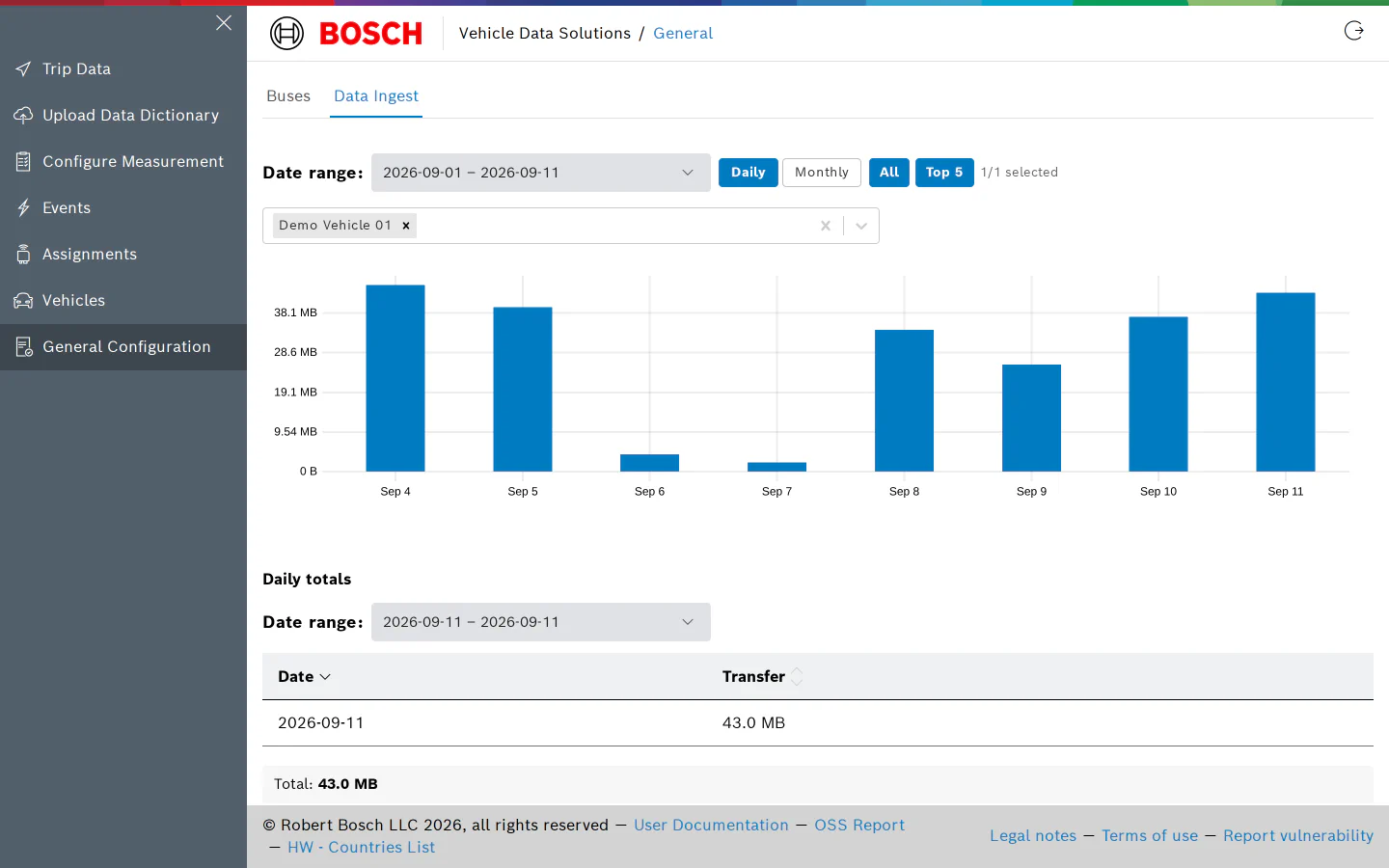
- Pick a date range and switch between Daily and Monthly buckets.
- All charts every vehicle; Top 5 limits the chart to the five vehicles with the most data, and the picker below it lets you choose vehicles by hand. Data from a device that was not assigned to a vehicle at the time shows as “Unassigned”.
- Daily totals and Monthly totals list the transferred volume per period with a total for the selected range.
The same figures appear per device in the Monthly ingest column of the Assignments page, and the configuration editor estimates the ingest rate of a configuration while you build it.
Permissions
Viewing this page needs the permission to list networks; users without it see an “Access Denied” message. Adding, renaming and deleting buses need the corresponding write permissions, which the standard User and Admin roles have.